What is HealthSafe ID®?
HealthSafe ID® is the updated, secure way to sign in to your HealthSafe ID accounts. It lets you choose one username and one password to access nearly all your health benefits information.
Where can I use my HealthSafe ID?
This website uses HealthSafe ID, as do many other sites. Which means you can access many of your health benefits with the ease of a single username and password.
How can I delete my HealthSafe ID®?
Request a HealthSafe ID account deletion by calling 1-866-451-2735.
What do I need in order to log in to my account?
Your username and password.
What if I can’t remember my username and password?
If you forgot your username and password, click ‘Forget username and password?’ and follow the instructions. You will need your username in order to reset your password.
How can I change my password, email, and phone number?
After logging into the member portal, go to Account Profile and select ‘HealthSafe ID Password & Account Recovery.’ You will be able to update your password, email, and phone number.
What if I update my password?
Click ‘Forget password’ to follow the password reset process. You will be asked to enter your username and then complete two-factor authentication with an SMS message or phone call.
What is HealthSafe ID?
HealthSafe ID is the updated, secure way to sign in to your HealthSafe ID accounts. It lets you choose one username and one password to access nearly all your health benefits information.
You can create or link your HSID on the web at https://coach.werally.com/landing or from the Quit For Life app.
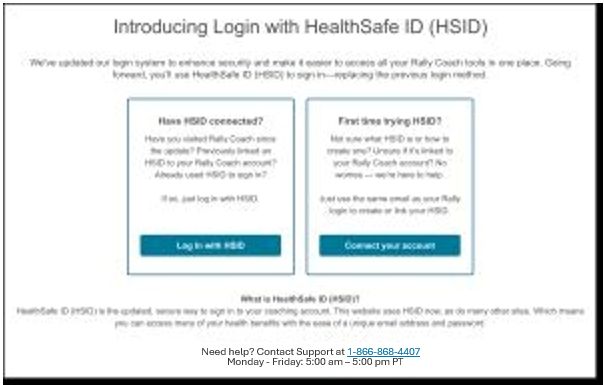
If you have already been logging in with your HSID, select Log in with HSID. If this is your first time using HSID, select Connect your account.
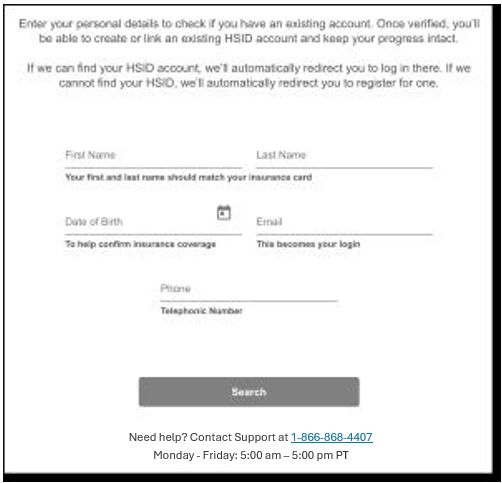
Enter your personal details to check if you have an existing account. Once verified, you’ll be able to create or link an existing HSID account and keep your progress intact. If we can find your HSID account, we’ll automatically redirect you to log in there. If we cannot find your HSID, we’ll automatically redirect you to register for one.
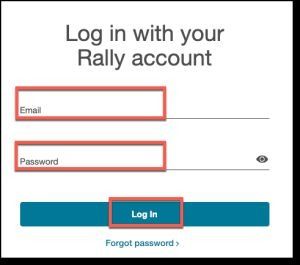
Enter your email address and password for your Quit For Life account.
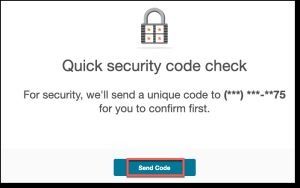
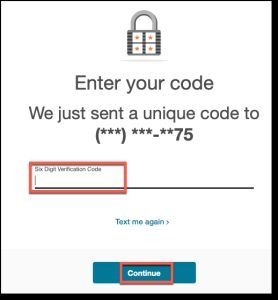
Receive and enter the security code.
To create a new HSID, enter your first and last name, email address, and date of birth, then verify your email.
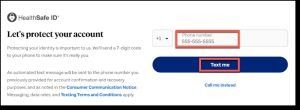
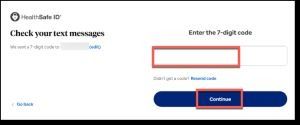
Enter your phone number to receive a security code. Enter the 7-digit code and select Continue.
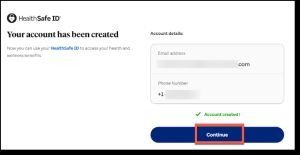
Continue to access your Dashboard.
Email address not being accepted during registration
If your spouse or dependent has registered and has a Quit For Life account, confirm you are not trying to use the same email address. Only one account can be associated with an email address. Try using a different email address.
Registration Troubleshooting
To proceed with your enrollment, you must enter your health insurance information to verify that you have coverage for our program. Quit For Life provides on-screen guidance to help you resolve minor errors. Minor errors may include an unsatisfactory password format, invalid email or phone number formats, and other minor details.
For more complicated enrollment issues, you can call Consumer Support at 1-866-868-4407 Monday – Friday between 7 am – 7 pm CT.